
8 Work Order Software Tools for Service and Maintenance Teams
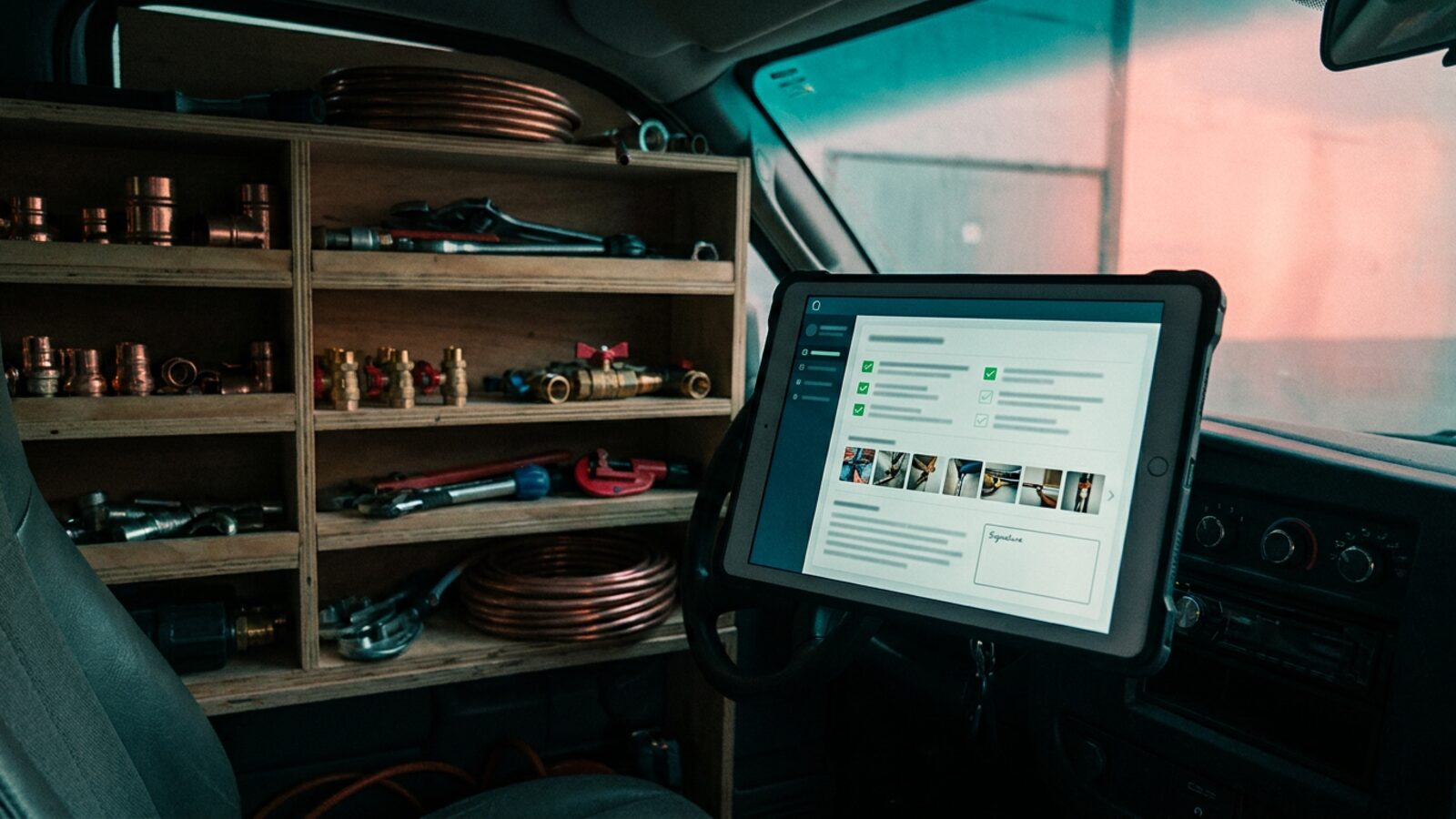
Manual work order tracking costs service teams money every week. A request comes in by phone, gets written on a sticky note, and the technician arrives without the equipment history or the right part. The crew drives back a second time, and half that trip never makes it onto an invoice.
The work is not getting lighter either. The Bureau of Labor Statistics projects 11 percent employment growth through 2035, much faster than average, for heating, air conditioning, and refrigeration mechanics and installers. Hiring is the slow lever. Fixing how work orders move is the fast one.
Three failures do most of the damage: equipment history nobody can find, emergency tickets ranked by whoever happens to answer the phone, and labor hours that never reach a bill. Work order automation goes after all three, and the eight tools below take different routes at it.
Here is the part most buyers miss. “Work order software” covers two different categories of product. CMMS and enterprise asset management (EAM) platforms track your own assets, preventive maintenance schedules, and spare parts. Field service and automated dispatch platforms run outbound customer work: quotes, scheduling, invoicing, and payment.
Buying the wrong category is the expensive mistake. Below are eight tools across both, what each one is good at, and where each one stops.
| Provider | Category | Best for | Automation strength | Pricing |
|---|---|---|---|---|
| Brixx Digital | Custom work order system | Request to invoice in one build you own | Automated triage and client status updates | Foundation Build from $2,500 |
| MaintainX | CMMS | Facilities and manufacturing maintenance | Recurring PM schedules, checklist enforcement | From $20/user/mo billed annually |
| UpKeep | CMMS / EAM | Asset-heavy industrial maintenance | Meter-based work order triggers | From $24/user/mo |
| Limble CMMS | CMMS | Predictive maintenance tracking | IoT asset tracking and sensor-driven tickets | Not published |
| Jobber | Field service | Residential service contractors | Quote follow-ups and online booking | From $29/mo billed annually |
| Housecall Pro | Field service | Home services dispatch and invoicing | Customer status texts and recurring plans | From $59/mo billed annually |
| ServiceTitan | Field service | Large commercial and residential trades | Capacity planning and dynamic pricing | Quote only |
| Workiz | Field service | Dispatching and client communication | Call-to-job routing from the dialer | Not published |
Software prices move constantly, and most vendors gate their real numbers behind a demo. Pull current rates from each vendor before you build a budget.
1. Brixx Digital
Brixx Digital builds the work order system around your process instead of bending your process around a template. A Blueprint maps how a job moves today: request, triage, dispatch, parts, sign-off, invoice. The build follows that map.
Your team gets a portal you own, with a technician view for the field and an office view for dispatch and billing. Automated workflows take the repetitive layer, confirming inbound requests and pushing status updates to the customer so the dispatcher stops retyping them. Brixx ships a working version of the system in 30 days, guaranteed.
Best for: End-to-end custom work order flows
Pricing: Foundation Build from $2,500
Standout features: Custom CRM integrations, automated client updates, technician mobile views, KPI dashboards
Advantages
- Matches the procedures you already run, so nobody invents a workaround to keep the software happy.
- Business Intelligence dashboards put first-time fix rate, billable hours, and job cost on one screen.
- Scheduling, parts, and billing live in one system instead of three subscriptions that half-talk to each other.
- You own the build, so the bill does not climb every time you add a seat.
2. MaintainX
MaintainX is a mobile-first CMMS built for frontline maintenance crews. It swaps paper forms for digital checklists, required photo uploads, and in-app messaging, so plant and facility managers watch internal work orders move in real time. Technicians clear the procedure steps before a ticket closes.
Best for: Facilities and manufacturing maintenance
Pricing: From $20/user/mo billed annually (free Basic tier available)
Standout features: Team messaging, barcode scanning, preventive maintenance scheduling
Advantages
- Technicians adopt it quickly because the mobile app stays simple.
- Audit trails hold up under compliance reporting and safety inspections.
Disadvantages
- No customer quoting or invoicing, so outbound trades still need a second system.
- Deeper API access requires the Premium tier or higher.
3. UpKeep
UpKeep leans hard on enterprise asset management and parts inventory for industrial sites. A technician photographs the failed equipment, opens a ticket, and checks spare parts stock from the floor. Parts usage ties back to a specific machine, so you see what each asset actually costs to keep running.
Best for: Asset-heavy industrial maintenance
Pricing: From $24/user/mo
Standout features: Multi-location inventory, downtime tracking, meter-based triggers
Advantages
- Downtime cost tracking stays useful across years of asset history.
- Meter readings trigger preventive work orders without anyone remembering to.
Disadvantages
- Cost climbs fast once a large team needs full admin access.
- Reporting setup takes real time to learn.
4. Limble CMMS
Limble CMMS targets predictive maintenance and custom asset reporting. Facility managers track total cost of ownership across large machinery networks and watch part lifespans against sensor data. IoT asset tracking raises the ticket before a bearing fails rather than after. A vendor portal handles third-party contractors, so outsourced work stays on the same ticket.
Best for: Predictive maintenance tracking
Pricing: Not published
Standout features: Vendor management portal, IoT sensor integrations, custom dashboards
Advantages
- Reporting gets granular enough to calculate return per individual asset.
- Contractor messages and invoices stay attached to the open work order.
Disadvantages
- The feature depth is more than a small facility team needs.
- Setup and historical data migration take serious admin effort.
5. Jobber
Jobber runs the other direction: outbound field service and mobile workforce management for residential contractors. It carries a job from the online quote through daily dispatch to card payment. Client history sits in front of the technician, so the second visit starts where the first one ended.
Best for: Residential service contractors
Pricing: From $29/mo billed annually
Standout features: Online booking, automated quote follow-ups, integrated card processing
Advantages
- Scheduling and routing stay manageable for crews running several calls a day.
- Small teams get productive on it without an implementation project.
Disadvantages
- No predictive asset tracking of the kind a CMMS gives you.
- Multi-location parts inventory is thin.
6. Housecall Pro
Housecall Pro serves home services businesses with a visual dispatch board and strong customer messaging. Automated texts tell the homeowner the technician is on the way. Recurring service agreements give residential trades predictable monthly revenue.
Best for: Home services dispatch and invoicing
Pricing: From $59/mo billed annually
Standout features: On-my-way texts, recurring service plans, in-home sales presentation mode
Advantages
- Strong at presenting good, better, best options at the kitchen table.
- Cuts office hours by automating reminders and follow-up emails.
Disadvantages
- Not built for internal facility maintenance or plant assets.
- Invoice templates only bend so far.
7. ServiceTitan
ServiceTitan sits at the enterprise end of the market. It handles multi-location dispatch, tiered pricing presentations, and call center volume for HVAC, plumbing, and electrical contractors. The same system tracks technician sales performance and ad spend return.
Best for: Large commercial and residential trades
Pricing: Quote only
Standout features: Capacity planning, complex payroll structures, dynamic pricing boards
Advantages
- Handles franchises dispatching hundreds of technicians a day.
- Serious tooling for building and presenting commercial quotes.
Disadvantages
- A major financial and operational commitment with a long implementation.
- Needs trained admin staff to run it day to day.
8. Workiz
Workiz builds the phone system into the dispatch board. Dispatchers keep call recordings, assign jobs straight from the dialer, and see which ad channel produced the call. Office staff open a work order and get the whole conversation history with it.
Best for: Dispatching and client communication
Pricing: Not published
Standout features: Built-in VoIP calling, equipment and serial-number tracking, technician location mapping
Advantages
- Ties inbound calls to specific campaigns, so marketing spend gets judged on booked jobs.
- Drag-and-drop calendar makes same-day schedule changes quick.
Disadvantages
- Entry pricing is steep for a solo operator.
- Call minutes and SMS messaging are billed on top of the monthly subscription.
Where Outdated Service Systems Fail
When a job lives across texts, paper, and one dispatcher’s memory, data falls through the cracks. Find the specific leak first. That tells you which features you actually need.
- Lost equipment history: The technician arrives not knowing what was installed last visit, so the diagnostic work happens twice and the customer notices.
- Field evidence stuck on phones: Photos, inspection notes, and signatures sit in a camera roll instead of attaching to the invoice.
- Duplicate data entry: Office staff retype paper notes into accounting software, which is where billing errors are born.
- Unbilled time: Travel, small part swaps, and extra labor hours never get recorded, so margin leaks out of every call.
- No inventory visibility: Crews roll out without the right materials, then drive back for them on your fuel.
- Emergency tickets with no triage: An urgent asset failure sits in the same queue as a routine filter change until a human reads it. Automated triage ranks incoming requests by asset criticality and contract terms the moment they land.
- Blind parts ordering: With no usage history behind it, reordering is a guess, so you either sit on dead stock or wait days on a cheap part while a machine stays down.
- Software that drives technicians out: A clunky field app means double entry at the end of a ten-hour day, and your best techs feel that every shift. Tool quality is a retention issue, not a preference.
Getting Work Order Software Right the First Time
A new system costs money, calendar time, and team patience. Match the architecture to how you actually operate. Answer these seven questions before you sign anything:
- Do we need internal asset tracking, outbound customer quoting and billing, or both?
- Does the mobile app still work in a basement, a steel building, or a rural service area with no signal?
- Can it capture the compliance records we are required to keep, such as refrigerant logs, OSHA checklists, or state inspection forms?
- Does completed ticket data push into our accounting system or ERP without anyone retyping line items?
- Which steps run without a human touching them: dispatch assignment, customer status texts, preventive triggers, invoice creation?
- What has to carry forward automatically from the first site visit to the install appointment?
- Does the pricing model penalize us for seasonal techs, subcontractors, and office staff who log in twice a week?
Stop bending your service workflow to fit a generic template. Brixx Digital blueprints and builds custom work order portals for plumbing, HVAC, and electrical contractors: requests, dispatch, parts, and invoicing in one system, with no duplicate entry. Tell us how a job moves through your shop today and we will map the system that fits it.
For shops that want the work order, the schedule and the invoice in one place they own, see how we build for plumbing companies and how our field service systems carry a job from first call to paid.
Frequently Asked Questions (FAQs)
What is the difference between CMMS and field service software?
CMMS and enterprise asset management platforms maintain your own assets. They track preventive maintenance schedules, spare parts, and equipment history inside your facility. Field service software runs outbound trade work: customer quotes, dispatch, and invoicing for residential or commercial clients. Buy the one that matches where your work orders come from.
How does AI and automation improve work order software?
Automation removes the steps a human adds nothing to. Dispatch rules assign a job by skill, location, and service contract instead of by whoever is free. Intake triage separates an urgent asset failure from a routine call before a dispatcher reads it. Meter and sensor thresholds raise preventive tickets on their own, and a closed ticket becomes an invoice without retyping. The work that needs judgment stays with your people.
Do work order management systems integrate with modern ERPs and accounting software?
Most connect to major accounting platforms and ERPs through native integrations or an API. A closed ticket becomes an invoice with the correct line items, and your office staff stop retyping numbers. Confirm the specific integration you need before you buy, because coverage varies by plan and some connectors sit behind the top tier.
What is the best work order software for a small business versus an enterprise?
A small residential crew wants fast setup, simple scheduling, and card payment on site, which is where Jobber and Housecall Pro land. A multi-location operation with a call center and tiered pricing needs the depth of ServiceTitan, and an asset-heavy plant needs a CMMS such as UpKeep or Limble. Teams whose process matches neither shape build a custom system instead of paying per seat for features they never open.
How long does implementation take?
A basic field service app runs in days if you only need scheduling and invoicing. Enterprise platforms and custom builds take longer because someone has to map your workflows, migrate asset history, and train the crew. Brixx ships a working version of a custom system in 30 days, guaranteed. Ask any vendor for a written timeline with named milestones.
This article is general information, not legal advice. Check the current rule with the agency or your advisor before acting on it.